
EUR/USD Forex
Nexor Broker
Trade global markets from $10
A demo account with virtual funds to practise. A real account with no deposit or withdrawal fee, and over 100 assets.
- EUR/USD
- GBP/JPY
- AUD/USD
- BTC/USD
- LTC/USD
- ADA/USD
- $10
- Minimum deposit
- 100+
- Assets
- 24/7
- Support
- 1–5 days
- Withdrawal time
Platform
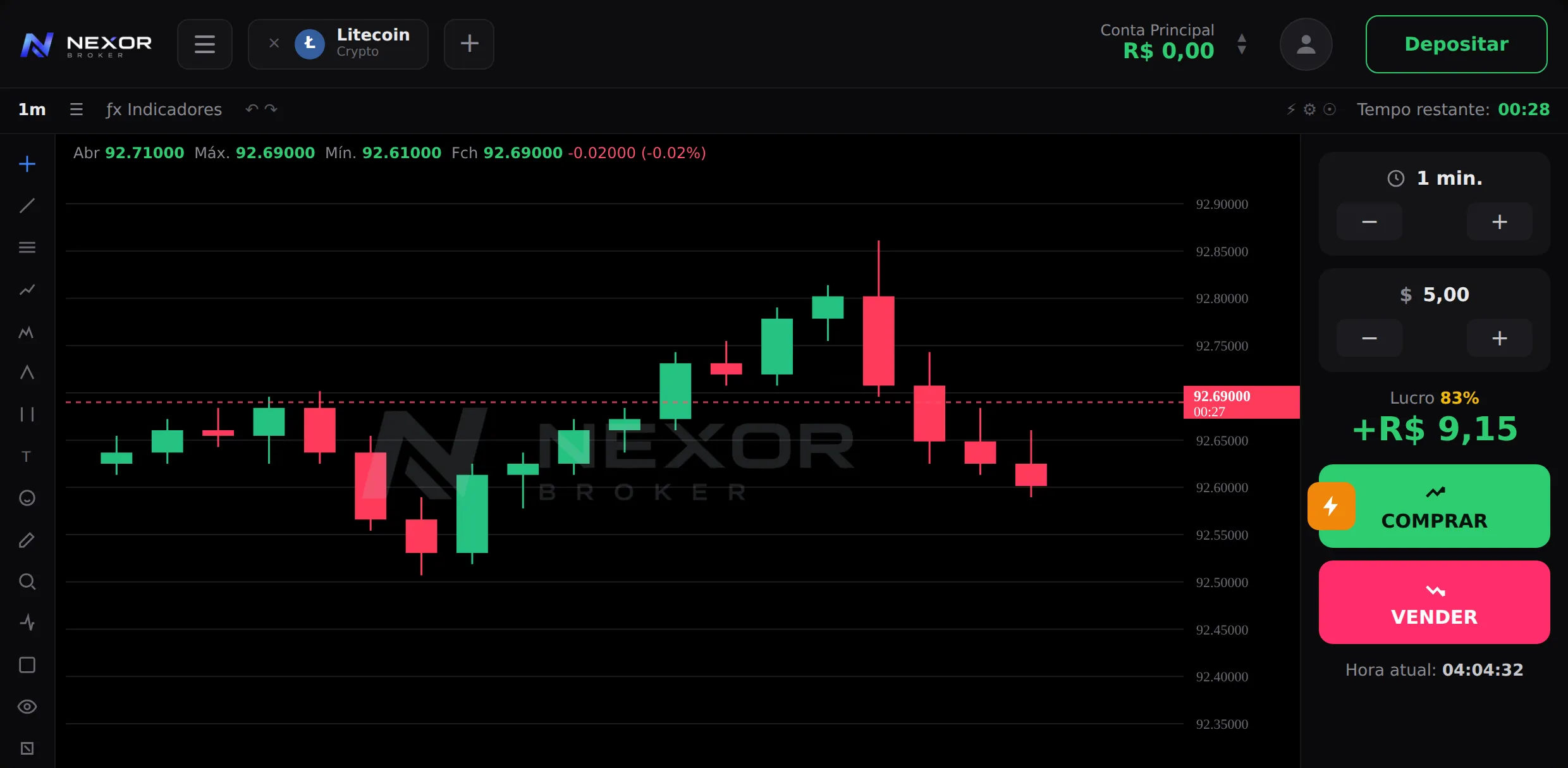
Quote, chart and execution on one screen
Open the platform in your browser and trade. Nothing to install, nothing to configure before your first order.
XAU/USD
Demo
00:08 Simulation. Pick a direction.
MA
RSI
MACD
VOL
See the platformI use Nexor because the platform is smooth, deposits land fast and withdrawals arrive on time.
Assets
Over 100 instruments under one registration
Below, some of the most traded pairs on the platform. The full list lives in your account area.
GBP/JPY Forex
AUD/USD Forex
BTC/USD Crypto
LTC/USD Crypto
ADA/USD Crypto
100+ Instruments in total
See them all on the platform Every instrument is available on the demo account too, with the same quotes.
Costs
What you pay, and what you don't
The broker charges no deposit or withdrawal fee. Third-party payment providers may charge their own and apply currency conversion.
$10
Same amount for every payment method.
| Deposit fee Charged by Nexor. Your payment provider may charge its own. | None |
|---|---|
| Withdrawal fee Requested inside the platform, with no intermediary. | None |
| Withdrawal time From the request. Varies with the volume being processed. | 1–5 days |
| Demo account Virtual funds, same quotes as the real account. | Free |
How to trade
Four steps to your first trade
The price rises or falls within the window you choose. You analyse, set the amount and follow the result.
- 01
Pick the asset
Forex and crypto, among more than 100 instruments.
- 02
Read the chart
Candles, indicators and the time left before expiry.
- 03
Send the order
Amount, direction and window. Confirmation is immediate.
- 04
Follow the result
The return hits your balance as soon as the trade expires.
Programmes
Beyond the single trade
Programmes for clients who trade often. The terms of each one live in your account area.
VIP levels
Your account moves up a level as your traded volume grows. Each level unlocks its own benefits.
See levelsTournaments
Timed competitions with a live leaderboard. Entry and prizes are announced per edition.
See tournamentsDeposit bonus
Occasional campaigns that raise your tradable balance. Usage and withdrawal rules come with each one.
See campaignsAI Trade
Automated indicator reading to support your call. You keep control of the order.
See AI TradeNo programme guarantees a return. Past results do not indicate future results.
Mobile
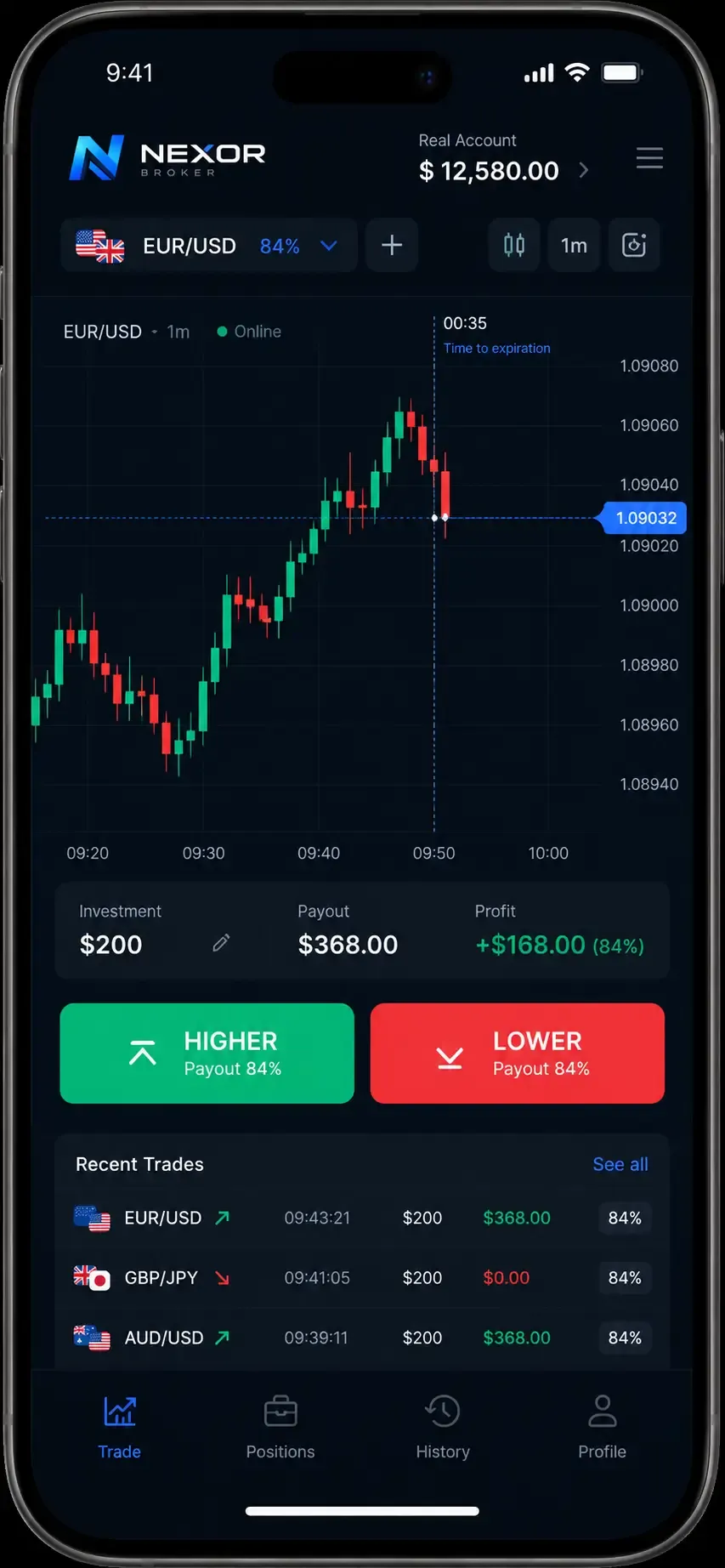
The same account on your phone
The platform runs in your mobile browser and as an installed app. A position opened on desktop shows up on mobile.
- Live chart
- The same quotes and the same history as the desktop version.
- Orders in seconds
- Amount, direction and expiry on a single screen.
- Notifications
- An alert when a trade closes or your price alert fires.
Security
How we protect your account and balance
Personal data, deposits and withdrawals each pass through separate verification layers.
- Verified transactions
- Deposits and withdrawals require confirmation and stay in your account history.
- Protected access
- Two-factor verification and a login alert for every new device.
- Identified support
- We answer through official channels only. Our team never asks for your password.
Clients
What people trading with us say
Reviews sent by Nexor clients on a five-point scale.
The platform is smooth, deposits land fast and withdrawals arrive on time. I recommend it if you are starting out.
Fast deposits and withdrawals
I have used it for a while. Deposits and withdrawals are fast, and support sorts things out when I call.
Support answers
Every deposit landed instantly and withdrawals were always processed within the stated window.
Consistent processing
Questions
Questions from people starting out
If yours is not here, support answers 24/7.
01 How do I learn to trade?
Open your account and practise on the demo. It uses virtual funds with the same quotes as the real account, so mistakes cost nothing.
02 How long does a withdrawal take?
1–5 days from the request. The window varies with the volume of withdrawals being processed.
03 What is a trading platform?
It is the software where you trade financial instruments. It brings quotes, charts, history and order entry into one place.
04 Can I trade on my phone?
Yes. The platform runs in any mobile browser and can also be installed as an app.
05 What is the minimum deposit?
$10, the same amount across every payment method we accept.
06 Is there a deposit or withdrawal fee?
Nexor charges none. Third-party payment providers may charge their own fee and apply currency conversion.
Open your account and start on the demo
Registration takes minutes. Practise with virtual funds and deposit whenever you want.